
How to Buy Personalized Canvas Online in 2026 - Complete Buyer's Guide

By the AmourPrint editorial team · Last updated May 28, 2026 · ~2,150 words
The short version of how to buy personalized canvas online in 2026: pick the size and substrate before you pick the vendor, get the four core specs in writing (canvas weight, frame depth, ink type, fade rating), demand a digital proof before printing, and assume the listing photos are 20 to 30 percent more flattering than the product that will arrive — because the listing was photographed under studio lighting on a freshly stretched canvas, and yours will live on a wall under house lighting for the next decade.
The personalized canvas category has matured into a strange middle ground in 2026. Buyer-side awareness is up — most customers now know to check canvas weight and frame depth — but vendor-side bait-and-switch tactics have also gotten more sophisticated. Listing photos use AI-enhanced rendering. Star ratings are bundled across product lines so a one-star wedding canvas is averaged into a five-star generic product. Production timelines are measured from "order approved" rather than "order placed," which adds an invisible day. Knowing how to read past these tactics is what separates a confident order from a regretted one.
This guide walks through the full buying process in order: deciding what you actually want, vetting the vendor, reading the listing, reviewing the proof, accepting delivery, and what to do if something is wrong. Each section has the specific questions to ask and the specific signals to watch for, organized so you can use it as a checklist on a single order or as a reference for the broader category.
Step 1: Decide what you want before opening any listing
The biggest source of buyer regret in personalized canvas is decision-deferral — customers who open a listing without having decided what they want, get pulled into the vendor's preset templates, and end up with a piece that's a compromise between what the vendor sells well and what the customer actually wanted. The fix is to make four decisions before clicking on anything.
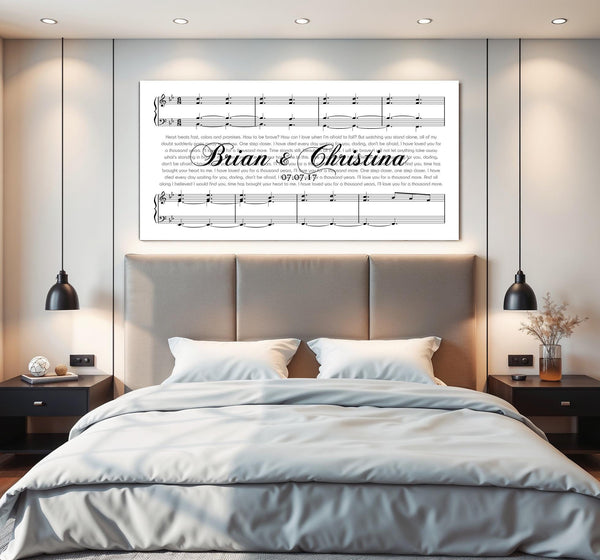
First, decide on size. Personalized canvas comes in standard formats (8x10, 11x14, 12x16, 16x20, 20x30, 24x36, 30x40) and prices roughly scale with surface area. The size you want depends on the wall: a 24x36 anchors a king-size bed headboard, a 16x20 fits a hallway gallery wall, a 12x16 works above a console or as a standalone piece on a shelf. Measure the wall before browsing. "Whatever looks good" is how people end up with a 12x16 floating in the middle of a 9-foot wall.
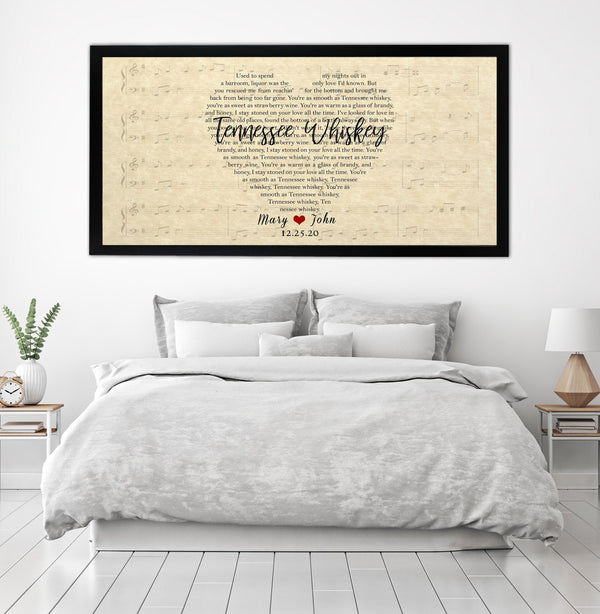
Second, decide on substrate. The default options are wrapped canvas (most common), framed canvas (canvas in a hardwood frame, premium look), unframed paper print (cheapest, requires separate framing), metal print (modern, harder lighting), and acrylic print (high gloss, photographic feel). For song-lyric and personalized illustration content, wrapped canvas or framed canvas almost always wins. For photo-heavy designs, metal or acrylic can work better. Make this decision before you start browsing because vendors specialize in different substrates.
Third, decide on content. Specifically: what is the one most important element of the personalization? Is it the song? The date? The names? The location? Pick one, write it down, and then add at most two supporting elements. "Song + names + date" is a strong, focused brief. "Song + names + date + venue + quote + monogram + inside joke" is a brief that will produce a cluttered final piece regardless of the vendor's skill.
Fourth, decide on budget and deadline as a pair, not separately. A $200 budget with a 3-week deadline opens up the entire premium tier. A $200 budget with a 4-day deadline forces you into rush surcharges that consume 30 percent of the budget. Decide both numbers before browsing and the vendor shortlist will narrow itself.
Step 2: Vet the vendor before reading the listing
Listing copy and listing photos are designed to convert. Vendor-vetting signals from outside the listing are more honest. The four checks below take about 10 minutes and catch most of the gap between marketing and reality.
Check the About page or footer for a physical address and a phone number. A vendor with a real studio at a named street address in a real city is a different kind of operation than one with only a generic contact form. The address doesn't have to be a retail storefront — most personalized canvas studios are warehouses or production facilities — but it should be a real address you can verify on a map.
Check third-party review platforms. Loox, Judge.me, and Trustpilot show reviews that the vendor cannot edit or selectively display. Look for review counts in the hundreds or thousands, an average score above 4.7 stars, and a meaningful number of reviews with customer-uploaded photos. A vendor with 4,000 reviews and 200 photos is operating at a different scale and quality tier than a vendor with 40 reviews and zero photos.
Check the Instagram or Facebook profile. Active social profiles with recent posts of finished customer work — not just product photos, but tagged customer photos in their homes — indicate a vendor whose customers feel good about displaying the product publicly. An empty or year-old social profile is a signal that the customer experience isn't generating word-of-mouth.
Check the return and warranty policy. The policy should be specific ("60-day return window for any reason, including buyer's remorse") not vague ("contact us about returns"). It should cover damaged-in-shipping cases without arguing about the customer's fault. And it should specify what happens if the printed product doesn't match the approved proof. Vendors with confident policies have confident production. Vendors with hedged policies are managing exposure.
Step 3: Read the listing critically
Listings in 2026 use a fairly standard format, and knowing what should be there (and what often isn't) lets you read them faster.
The four specs to find: canvas weight in GSM (200+ is acceptable, 280+ is premium, 380+ is heirloom-grade), frame material (kiln-dried pine, hardwood, or MDF — with MDF being the budget tier), ink type (pigment, dye, or UV — pigment is most fade-resistant), and fade-resistance rating in years (100+ years under indoor light is the premium benchmark). If any of these is missing from the listing, ask before ordering. Vendors that hide the specs usually do so because the specs are mid-tier or worse.
The two specs that signal corner-cutting if present: "polyester canvas" (lower-quality than cotton or cotton-poly blend), and "thin-frame" or "slim-profile" (under 1 inch of depth, which usually means the canvas will warp over time). Both can be acceptable in budget-tier products, but they should not appear in premium-priced listings.
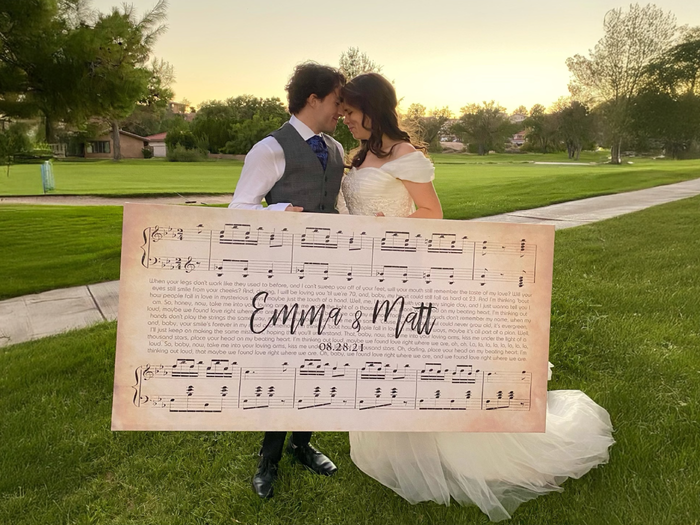
Listing photos: assume each one is enhanced. The canvas in the photo is freshly stretched, photographed in a soft-lit studio against a tasteful background, and often digitally retouched to remove production imperfections. Your canvas will be photographed at home under whatever light you have. Look for product photos that include scale references (a person, a sofa, a clear measurement) and customer-uploaded photos from actual homes, which give a more realistic preview.
Pricing red flags: prices significantly below the category average for the same size and substrate, "limited time" countdown timers that reset on page reload, free-shipping offers that only apply above an arbitrary minimum tied to a second product, and bundle-discounting that requires you to add a second item to get the headline price. Each of these is a sign that the vendor is using price psychology to compensate for something else.
Step 4: The proof review (the most important step)
If the vendor sends a digital proof before printing — and they should — the proof review is the single most important step in the entire purchase. The proof is your last chance to catch errors before the press runs, and most regrets in this category trace back to proofs that were approved too quickly.
Open the proof at full size, not on a phone. Phone screens compress visual issues that become obvious on a larger display. Open it on a laptop or tablet minimum.
Check four things in order. First, the text. Read every word out loud, slowly. Apostrophes (curly vs straight), capitalization, song-title formatting (italic? quotes?), name spelling, date format. Compare every character against what you submitted. Apostrophe errors are the single most common production issue caught by alert customers.
Second, the composition. Is the personalized content the visual focus of the piece, or is it sharing the stage with decorative elements that distract? Is there enough breathing room (60 to 70 percent of the canvas should be negative space at minimum). Is the text aligned the way you expected, or has the vendor's template pulled it off-center.
Third, the color. Computer displays vary, but the proof should give you a rough sense of the final palette. If the background is supposed to be cream but reads as gray, ask. If the type is supposed to be charcoal but reads as black, ask. Color corrections are easy to make at the proof stage and effectively impossible after printing.
Fourth, the technical edges. On a wrapped canvas, the image wraps around the sides of the frame. Make sure the proof shows what will appear on the side wraps — either the design continuing (gallery wrap), a solid color (mirror wrap), or a duplicated edge (image extends). If the proof doesn't show the wrap, ask for one that does.
Take a full 24 hours before approving the proof unless you're on a hard deadline. Errors that feel impossible to miss on first review are routinely caught on second review the next morning.
Step 5: Delivery and what to do if something is wrong
When the canvas arrives, inspect before signing or moving it to its display location. Check the corners (most shipping damage happens at corners), the canvas tension (should be drum-tight, no ripples), the print quality (no streaking, no off-color zones), and the personalized text (verify against your approved proof). Take photos immediately if anything looks off, with the packaging visible — you'll need these if you file a damage claim.
If something is wrong, contact the vendor within 48 hours. Reputable vendors have a clear damage-replacement process and will reproduce the piece without argument if you can show photos of the issue plus the original packaging. Disreputable vendors will argue about whether the damage is their fault or the carrier's, which is a meaningless distinction from the customer's perspective — the customer paid for a working product delivered to their door.
If the vendor refuses a reasonable replacement request, three escalation paths exist: dispute the charge with your credit card company (works for most issues if the vendor's policy doesn't cover damage), file a complaint with the BBB or your state attorney general's consumer protection office (slow but effective for repeat-offender vendors), or post a documented review on the third-party platforms you used for vetting (effective at preventing other buyers from repeating the experience). The credit card chargeback is usually the fastest fix.
Frequently asked questions
Q: What's the most important thing to check before buying personalized canvas online?
A: The digital proof, every single time. The proof review is your last chance to catch text errors, composition problems, and color issues before the press runs. Vendors that don't send proofs are skipping the most important quality-control step in personalized printing. If a vendor's process doesn't include a proof, find a different vendor.
Q: Are big-box personalized canvas brands safer than small studios?
A: Not necessarily. Big-box brands have consistent logistics and clear return policies but tend to use lower-grade substrates and skip the human proofing step. Small studios have more variable logistics but often produce visibly higher quality and catch errors during proofing. The vetting checklist (real address, third-party reviews, active social, specific return policy) works equally well for both.
Q: How much should I expect to pay for a quality personalized canvas in 2026?
A: For a 12x16 quality canvas with full personalization, the realistic 2026 range is $50 to $90. For a 16x20, $75 to $130. For a 24x36, $150 to $300. Prices significantly below these ranges usually indicate lower-grade substrate or skipped proofing; prices significantly above usually indicate either heirloom-grade materials or marketing premium.
Q: Can I trust the star ratings on canvas listings?
A: Trust third-party platforms (Loox, Judge.me, Trustpilot) much more than on-site stars. On-site ratings can be filtered, bundled across products, or sourced from incentivized reviews. Third-party platforms have stricter verification and show photo reviews from actual customers, which are far more informative than star averages alone.
About AmourPrint
AmourPrint is a family-owned personalized canvas studio based in Victorville, California. We specialize in song-lyric canvases for weddings, anniversaries, and meaningful life moments, with 4,600+ verified reviews at 4.96★. Lyrics are licensed per order through Musixmatch. Read our customer reviews.